AI Workflow Toolkit is a one-time, practical workflow for drafting, revising, and getting your business documents approved.
It’s not a “prompt collection.” You run a repeatable process:
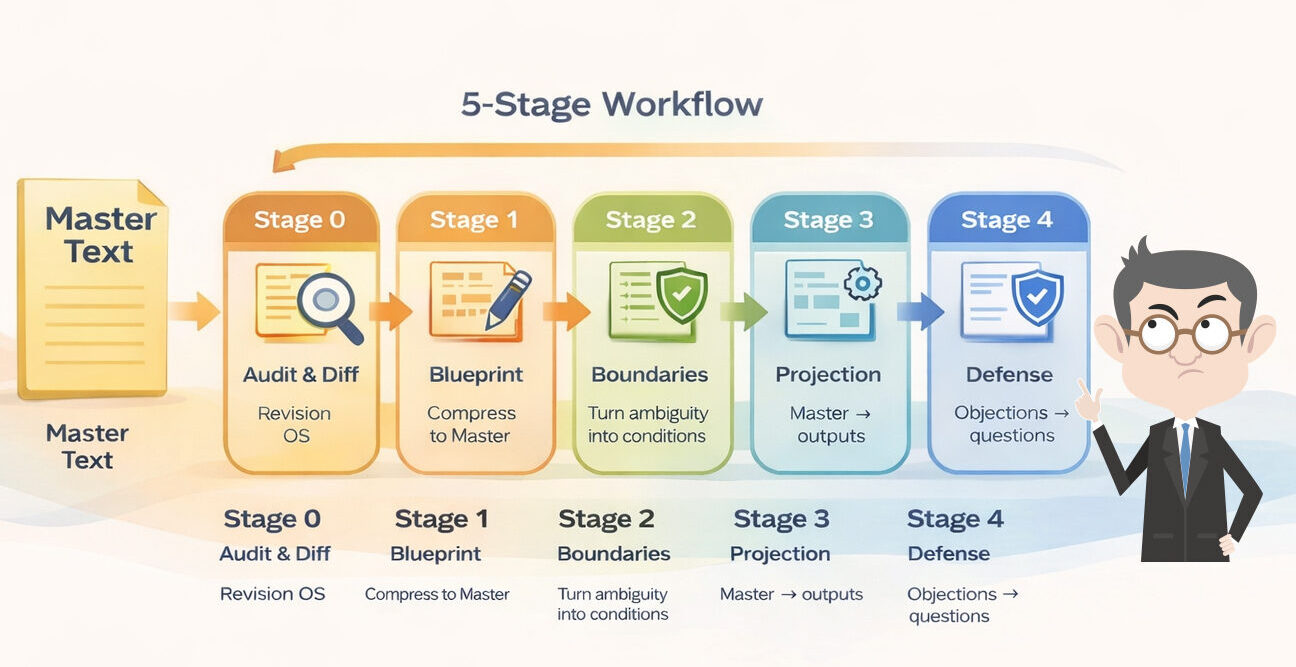
- Audit → Blueprint → Boundaries → Projection → Defense.
01
A Practical Workflow (Not a Course)
You apply the toolkit to your own document—not a sample.
Copy-paste the templates, run the AI Stage Commands, and edit by diff so revisions don’t scatter.
02
What You Get (Copy-Paste Tools)
You get a complete set of templates:
Master Text, Diff Sheet, Audit Checklist, Boundary Box, and AI Stage Commands (0–4).
Use them across Slides / Docs / Notion.
03
The 5 Stages (Maturity, Not Time)
You refine one document stage by stage:
Stage 0 Audit & Diff → Stage 1 Blueprint → Stage 2 Boundaries → Stage 3 Projection → Stage 4 Defense.
Slide count is flexible (e.g., 6 or 8) as long as required elements remain.
04
Start the Toolkit
Ready to run the workflow on your document?
Start with Stage 0 (Audit & Diff). In a few minutes you’ll see what to fix and how to fix it – without rewriting everything.